
Brands often fail at creator content not because they lack it, but because they cannot use what they already have.
The pattern is familiar. A creator sends files by WeTransfer. Another posts the final Reel but no raw footage. Someone on the paid social team downloads a version from Instagram because they cannot find the original. Usage rights sit in email threads. The ecommerce manager wants fresh PDP assets, but nobody knows which clips are approved for ads. What started as “let’s collect some UGC” becomes a messy folder that nobody trusts.
A strong creator content library fixes that, but only if you build it as a system from day one. That means workflows, naming rules, rights tracking, tagging, and attribution. Not storage alone.
If you want to learn How to Build a Creator Content Library for Your Brand, think less like a social media manager saving nice-looking posts and more like an operator building a reusable creative pipeline.
Laying the Foundation for a Scalable Content Library
A week after launch, the paid team needs fresh creator ads, ecommerce wants PDP video, and legal asks which assets still have valid usage rights. If your answer lives across Drive folders, Slack threads, and creator emails, the library is already failing.
A scalable creator content library needs to answer three operational questions fast. What is this asset for. Where can the team use it. What happened after it went live.
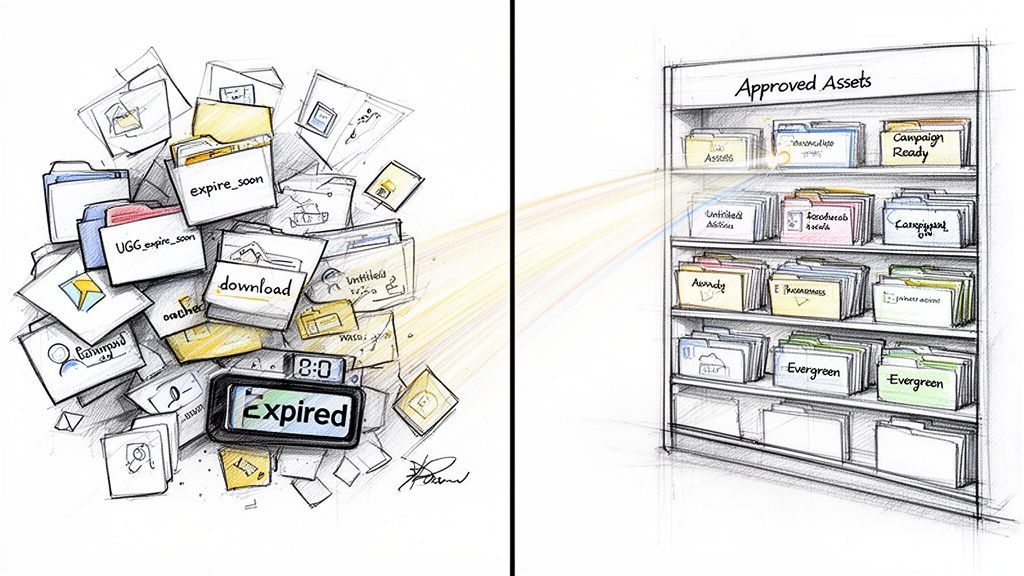
The mistake I see early is treating the library as storage. Storage solves file loss. It does not solve reuse, approvals, attribution, or channel fit. If the system cannot tell a growth team which creator clips are cleared for paid social and which PDP videos increase conversion, you have a media archive, not a content engine.
Start with business use, not content type
Teams often begin with folders like “UGC”, “Creators”, or “TikTok assets”. That works for a month. It breaks as soon as performance marketing, ecommerce, lifecycle, retail, and agencies all need the same assets for different jobs.
Start with use cases instead. Decide what the library needs to produce for the business, then build the structure around those outputs.
For most brands, that means some combination of:
Paid social creative: Raw footage, hooks, testimonials, product demos, and vertical cuts built for Meta and TikTok testing.
Ecommerce merchandising: PDP images, review-style videos, comparison clips, and social proof assets that support conversion.
Lifecycle marketing: Creator assets for email, SMS, post-purchase flows, and win-back campaigns.
Sales and retail support: Content for launch decks, local landing pages, in-store screens, or franchise teams.
Those use cases shape the whole operating model. Briefs need different shot lists. Rights need different permissions. Editors need different outputs. Reporting needs to tie each asset to a channel and outcome.
Assets without a planned use case usually die in the folder.
Build a taxonomy your team will use
Good taxonomy is boring on purpose. The goal is not to impress anyone in a planning doc. The goal is to help a media buyer, ecommerce manager, freelancer, and agency producer all find the same file without asking in Slack.
Keep the structure simple and strict. Four layers are usually enough:
Layer | What it answers | Example |
|---|---|---|
Brand or market | Which business unit owns it | UK DTC, London stores, Franchise North |
Campaign | Why it was created | Summer launch, menu drop, gifting push |
Creator | Who made it | Creator name or ID |
Asset type | What it is | Raw video, edited cut, still, usage doc |
Then enforce a naming rule such as:
brand_campaign_creator_platform_assettype_product_status_version
That level of discipline saves time later. It also reduces version confusion, duplicate editing, and accidental use of outdated files.
Decide what metadata is required
File names help. Metadata performs the essential work.
Every asset should carry a standard set of fields inside your library, DAM, Airtable, or whichever system your team uses. At minimum, track:
Creator identity
Campaign name
Date received
Platform intended
Product or location featured
Content angle such as testimonial, unboxing, tutorial, lifestyle, review
Usage status such as organic only, paid approved, whitelisted, expired
Editor status such as raw, clipped, captioned, approved
I would also add two fields many teams skip and regret later. One is rights expiry date. The other is performance ID, meaning the ad ID, SKU, email campaign, or landing page reference that lets you connect the asset to results. Without that link, proving ROI becomes manual work every time.
Set approval rules before the first upload
Approval logic should exist before creators send the first file. Otherwise the library fills up with assets that look usable but are missing claim checks, disclosure review, or paid usage clearance.
A simple workflow is enough:
Creative check for brand fit, messaging, and product accuracy
Compliance check for disclosures, claims, and rights
Channel check for paid, ecommerce, lifecycle, retail, or organic-only use
Library upload after the first three are complete
At this point, scalable systems usually win or lose. If approved and unreviewed assets sit in the same folder, someone will run restricted content in an ad account. That creates legal risk and wasted spend, and it is usually avoidable.
Assign one owner, even if several teams contribute
A creator library touches many teams. Governance still needs one clear owner.
That owner does not need to edit every video or chase every creator. They do need to own taxonomy rules, upload standards, rights documentation, archive logic, access controls, and reporting hygiene. In larger organisations, this role often sits with creator marketing, brand operations, or growth operations. The title matters less than the authority to enforce the process.
Shared ownership sounds collaborative. In practice, it usually means nobody fixes the broken fields, expired rights, or duplicate uploads.
Choose the stack and workflow before volume increases
The right stack depends on scale. Early-stage brands can run a solid system with cloud storage, a tracker for metadata and rights, and a lightweight approval workflow. Larger teams usually need a DAM, automated intake forms, standardised briefs, and a clean way to pass asset IDs into paid social, ecommerce, and CRM reporting.
What matters is the handoff design. A workable flow looks like this: brief sent, creator approved, content received, rights logged, asset reviewed, metadata added, edited versions created, distribution tagged, performance tracked, expiry managed.
Build that process first. Then increase creator volume.
If you need to shape the wider operating model around the library, start with this guide on building an influencer marketing strategy from scratch.
Sourcing High-Quality Creator Content at Scale
A scalable library depends on scalable inputs. Good organisation cannot rescue weak creator selection or vague briefs.
Many libraries fail due to one of two sourcing mistakes. Brands either choose creators purely on audience size, or they choose people whose content looks good on social but does not translate into useful brand assets.
Pick creators for asset utility
If the goal is a revenue-driving content library, ask harder questions than “does this creator fit our brand?”
Ask:
Can they explain a product clearly on camera?
Do they shoot with stable framing and clean audio?
Can their content work outside their own feed?
Does their style match the use case, such as PDP, paid ad, review generation, or local footfall?
Are they likely to deliver raw files, alternate takes, and stills if requested?
This matters most with micro and nano creators. They often produce more believable content, but their processes vary. Some deliver polished work. Others need a tighter brief and more follow-up.
A creator who drives conversation but sends unusable files is not helping your library.
Manual outreach versus systemised outreach
Manual outreach still works at small scale. It is fine when you are testing one market, one product line, or a short list of local venues.
It breaks when volume increases.
Consider this practical comparison:
Approach | Works well for | Where it breaks |
|---|---|---|
Manual DMs and email | Early testing, founder-led brands, one-off campaigns | Follow-ups get missed, rights get buried, creator history gets lost |
Spreadsheet-led management | Small teams with tight control | Version control, duplicated outreach, poor visibility across teams |
Platform or workflow system | Repeatable sourcing and campaign cadence | Requires setup discipline and standard operating rules |
The biggest issue is not outreach itself. It is continuity. If one team member leaves and the creator history sits in inboxes, you lose context, rights records, and performance knowledge.
Brief for reuse, not just first publication
Most briefs are written for a post. Strong briefs are written for a library.
That means your brief should specify:
Core deliverables: vertical video, stills, raw footage, optional cutdowns
Shot requirements: product close-up, in-use scene, talking-to-camera segment, opening hook
File delivery: raw files uploaded through a shared system, not only posted natively
Brand guardrails: claims to avoid, visual style, key talking points
Usage permissions: where the brand may use the content and for how long
Operational requirements: deadlines, naming rules, orientation, safe area for captions
A creator can meet the posting brief and still fail the library brief. For example, a great TikTok with music and on-screen effects may be impossible to repurpose cleanly if you never received the raw clip.
Key takeaway: Request the raw asset package up front. Teams that ask for it after content goes live usually get slower responses and lower compliance.
What a workable brief looks like
Keep the brief short enough that creators read it, but specific enough that your team can reuse what comes back.
A practical creator brief often includes:
Brand context One paragraph on the product, audience, and desired customer action.
Content ask A list of required scenes or angles, plus examples of what “good” looks like.
Do and do not list Product handling rules, tone, restricted claims, brand safety notes.
Technical guidance Vertical framing, lighting preference, clean background, file format, and raw upload instructions.
Usage and permissions Plain language on whether the brand can use the content on ads, website, email, or organic channels.
If you need a deeper playbook for getting useful creator assets rather than merely social posts, this guide on UGC for ecommerce and how to get creator content that converts covers the operational side well.
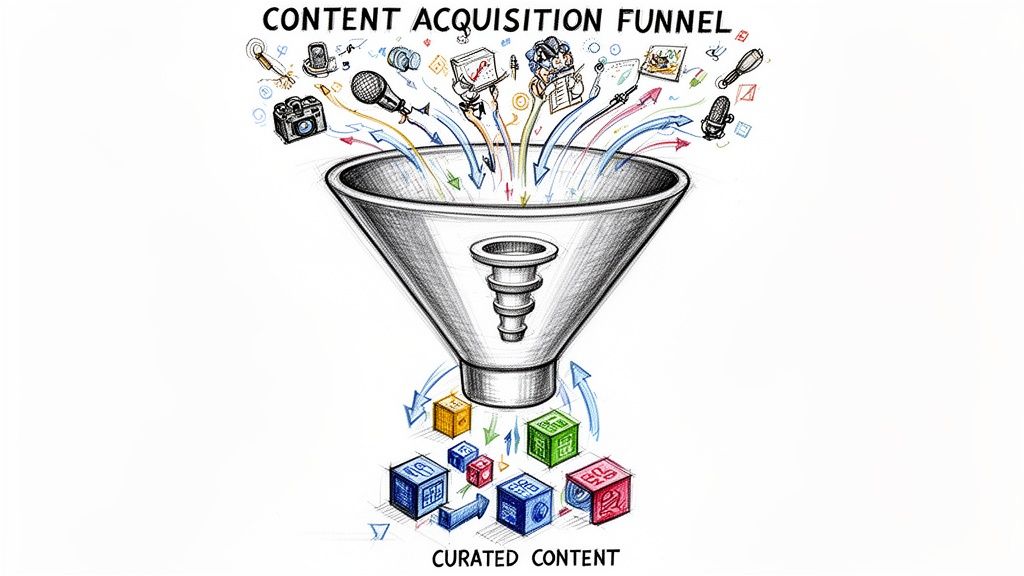
A lot of teams also benefit from seeing the content acquisition process visually before they formalise it:
Build a creator bench, not a creator list
A list is static. A bench is active.
Your best libraries come from a repeatable pool of creators you understand. You know who films strong testimonials, who is good for local launch content, who consistently delivers on time, and who creates footage your paid team can edit quickly.
Track qualitative notes after each collaboration. Not vanity observations. Useful ones.
Strong on-camera presence
Needs tighter deadlines
Great b-roll, weak spoken hooks
Best for product education
Strong fit for hospitality ambience shots
Delivers raw files without chasing
That turns sourcing into an operating advantage. Over time, you stop “finding creators” and start deploying the right creators for the right asset gaps.
Organising Your Library for Maximum Efficiency
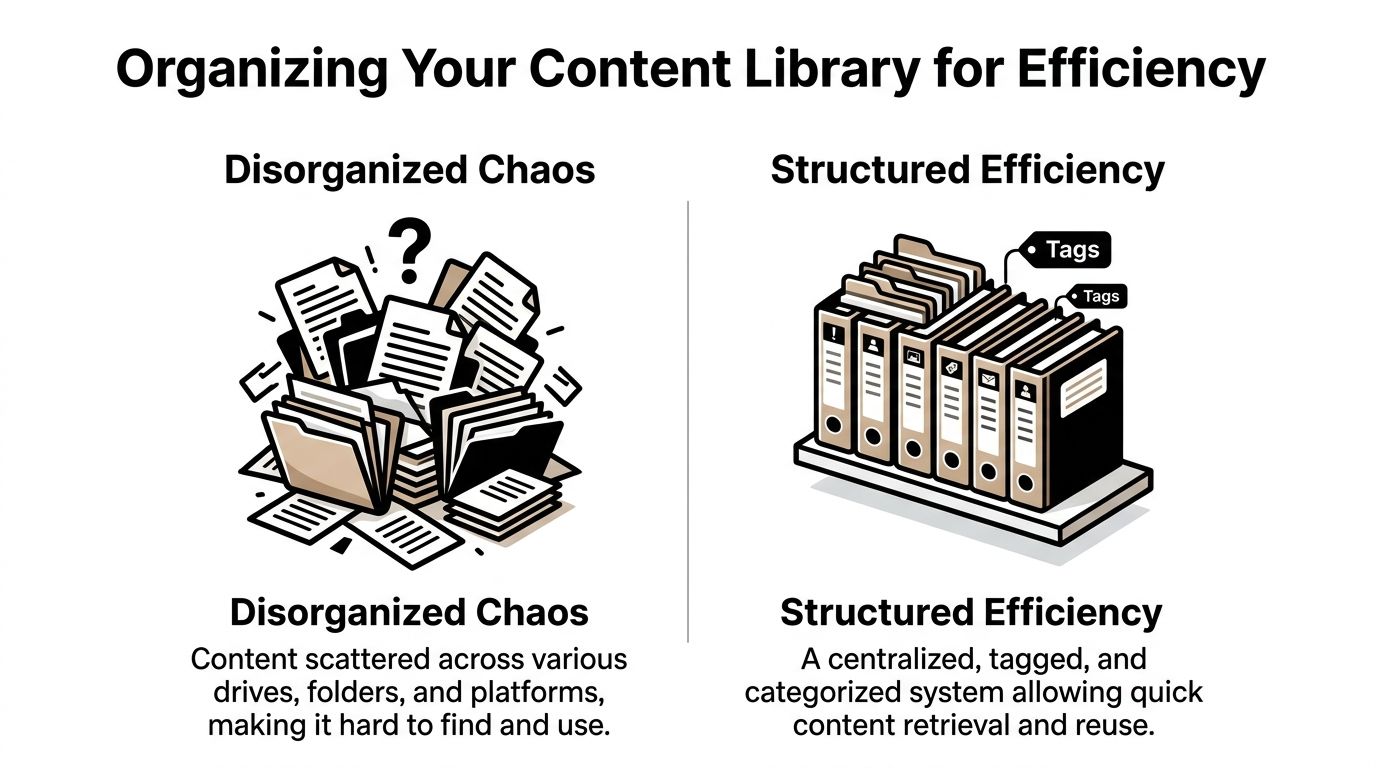
Once content starts coming in, speed matters less than retrieval. A library is only valuable if teams can find approved assets in minutes, not after a half-day Slack search.
Many brands overestimate the value of storage and underestimate the value of structure. This often leads to issues. Google Drive, Dropbox, a DAM, and an integrated campaign platform can all work. None of them work well without disciplined metadata and rights management.
Choose the system that matches your operating reality
There is no single correct storage tool. The right one depends on team size, approval complexity, and how many channels need access.
Here is a practical comparison.
Option | Best for | Strengths | Weaknesses |
|---|---|---|---|
Google Drive or Dropbox | Lean teams, early-stage programmes | Cheap, familiar, easy sharing | Weak metadata, poor rights visibility, search gets messy fast |
DAM system | Larger brands with formal workflows | Strong tagging, permissions, versioning | More setup, more process overhead, can be heavy for small teams |
Integrated creator workflow platform | Teams running ongoing creator programmes | Content and campaign data can sit together | Works best when the team commits to using one system consistently |
A shared drive is enough at the beginning if your rules are strong. It stops being enough when multiple departments start pulling the same assets for different uses.
The jump to a DAM makes sense when brand, legal, ecommerce, paid, and regional teams all need reliable access and auditability.
Metadata is the difference between a shelf and a search engine
Teams often tag assets with only the creator name and campaign. That is not enough.
If your media buyer needs “female creator, skincare serum, bathroom setting, talking-to-camera, problem-solution hook, ad-approved”, the library should make that easy.
Useful metadata usually falls into these groups:
Descriptive tags
These describe what is physically in the asset.
product featured
category
setting
shot type
people shown
creator name
location
Strategic tags
These explain why the asset might be useful.
top-of-funnel
PDP-ready
testimonial
review generation
seasonal
launch support
promo code content
Operational tags
These protect the team from misuse.
raw
edited
approved
expired
organic only
paid approved
whitelisting available
legal review complete
The easiest way to maintain metadata quality is to avoid free-text chaos. Use dropdowns, standard labels, or a controlled tag list.
Tip: If five people can tag the same scene five different ways, your search system will slowly collapse.
Rights management should sit next to the asset, not in email
This area is the most neglected part of a creator content library.
When a team member asks, “Can we use this in ads?” the answer should come from the asset record immediately. It should not require checking DMs, contracts, old invoices, or a legal folder that nobody opens.
For every asset, track:
Usage scope such as organic, paid, website, email, in-store
Territory if limited geographically
Duration of approved use
Need for creator approval before reuse, if applicable
Any platform restrictions
Disclosure or compliance notes
If your rights data sits separately from the file itself, somebody will eventually publish the wrong asset in the wrong place.
Build intake and archive rules
Organisation breaks when uploads are inconsistent. The fix is a standard intake checklist.
A strong intake process usually includes:
Files received in correct format Raw and edited versions saved separately.
Creator and campaign attached No anonymous uploads.
Rights recorded Before the asset is visible to the wider team.
Tags applied Enough for channel teams to search by use case.
Status assigned Draft, approved, limited-use, expired, archived.
Archive rules matter too. Old assets are not harmless. They create confusion. If a campaign ends or rights expire, move those files out of active circulation.
One source of truth beats perfect software
Teams often look for a tool that solves messy operations by itself. It will not.
A clear rule works best: one approved library is the source of truth. Not local downloads. Not Slack uploads. Not email attachments. Not reposted social files.
That means:
paid social pulls from the library
ecommerce pulls from the library
agencies pull from the library
local teams pull from the library
If teams bypass it, the system weakens.
Add performance context to the asset level
Most libraries stop at storage. Better ones connect content to outcomes.
Even if your reporting stack lives elsewhere, add a performance field or note to key assets. That might include top click-driver, strong PDP asset, weak hook but useful stills, or best for local launch ads. This lets the next campaign start with informed creative selection rather than guesswork.
You do not need perfect attribution attached to every file from day one. You do need a habit of recording what happened after the asset was used.
That habit is what turns a library from archive into operating system.
Activating and Repurposing Content to Drive Results
A creator library proves its value when channel teams can pull the right asset, adapt it fast, and launch without asking the original team to rebuild it.
That sounds obvious. In practice, many libraries stall at this stage. Brand teams collect strong creator content, file it neatly, and still brief new shoots for paid social, email, and PDP updates because the stored assets were never prepared for reuse.
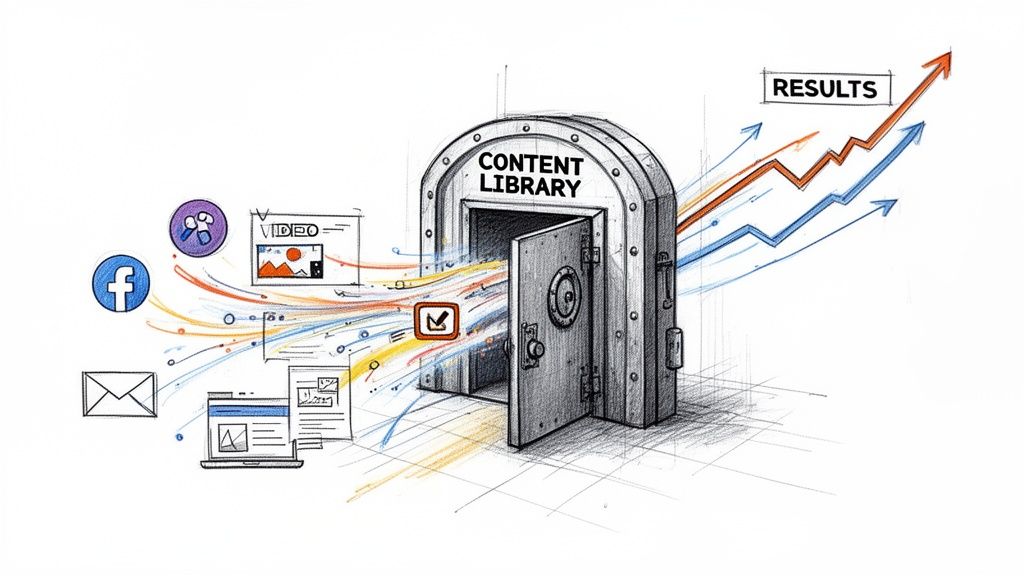
The fix is operational, not creative. Build the library so one approved asset package can feed multiple channels from day one. That means storing raw footage, trimmed edits, captioned versions, still exports, and usage notes together. If the paid team has to chase source files or ask whether a clip can be cropped for 9:16, the system is already slowing down.
One asset should do more than one job
A single creator shoot can supply far more than the original post if the footage is structured well.
Take a straightforward product-use video. The creator names the problem, shows the product in action, gives a quick reaction, and closes with a recommendation. That source file can become:
a paid social ad with a stronger opening hook
a shorter cut for Reels, Shorts, or TikTok
a captioned version for muted autoplay placements
still frames for email or onsite merchandising
a testimonial block for the PDP
a retargeting variant with offer-led copy
This is how a library starts producing margin. The brand gets more output from the same production cost, and channel teams work from approved material instead of starting over.
Match content to buying intent
Repurposing works when the edit matches the decision the customer is trying to make.
A creator intro with a sharp pain-point hook usually fits awareness. The product demo section often performs better in consideration, where the buyer wants proof and detail. A simple still or short quote can support conversion if the customer is already close to purchase and just needs reassurance.
A practical activation map looks like this:
Funnel stage | Best creator content use |
|---|---|
Awareness | Native-feeling paid social, creator intros, lifestyle clips |
Consideration | Tutorials, comparisons, testimonials, review-style edits |
Conversion | PDP embeds, ad retargeting, offer-led cutdowns, checkout reassurance |
Retention | Post-purchase education, community features, cross-sell content |
The trade-off is speed versus precision. Teams under pressure often push the same edit across every placement. That saves time in the short term and usually weakens performance. A small amount of channel-specific editing tends to pay back quickly.
Repurpose for the channel, not just the calendar
Reposting the same file everywhere is distribution. Repurposing is adaptation.
Rights and formatting constraints also become apparent in this process. Some creator assets look strong on social but cannot be used in paid media because whitelisting, usage windows, or music rights were never cleared. Others are technically approved but unusable because the only saved version has baked-in subtitles that cover the product or a watermark from the original platform. A scalable library avoids that waste by preparing channel-ready versions before anyone asks for them.
Build repurposing into post-production
Repurposing should happen in the edit brief, not as a rescue job three months later.
For each approved creator asset, the production or growth team should know what derivative outputs are required. A practical package usually includes:
one hero edit
one short-hook variant
one captioned, no-audio-safe version
clean still exports
one product-focused cut for onsite use
thumbnail options
notes on the angle, offer, or objection the asset addresses
That package gives paid social, CRM, ecommerce, and retail teams something they can use immediately. It also reduces one of the biggest failure points in creator libraries: good content that exists, but only in a form that suits the original campaign.
If your team needs a clear model for adapting creator assets into acquisition creative, this guide on how to repurpose influencer content for paid social ads is a useful reference.
The strongest libraries are built for activation. They store source material, derivative edits, and enough context for teams to turn approved content into revenue without rebuilding the asset every time.
Measuring Performance and Proving ROI
The hard conversation usually starts a few months after launch.
The team has sourced creator content, organised the library, and pushed assets into paid social, onsite, email, and retail screens. Then leadership asks a simple question. What revenue came from the library, and what would have happened if the brand had not built it?
If you cannot answer that clearly, the library gets treated like a production cost. If you can, it becomes easier to protect budget, justify headcount, and scale the system.
Track from asset ID to business outcome
ROI measurement breaks when teams try to reconstruct performance after launch. Set up attribution before the asset is published.
At minimum, each asset should carry a unique ID that stays with it across systems. That ID should connect to the creator, product, campaign, usage rights window, edit variant, and every channel where the asset runs. Without that structure, reporting turns into spreadsheet cleanup and manual guesswork.
A practical setup usually includes:
UTM parameters tied to creator, campaign, and placement
Unique promo codes for creator or offer-level redemption tracking
Channel-specific landing pages when the audience or message changes
Asset IDs that connect the creative file to downstream performance in ads, ecommerce, and CRM
Standard naming rules across briefs, file exports, ad managers, and analytics tools
Consistency matters more than complexity. I have seen expensive dashboards fail because the naming logic changed between the brief, the edit file, and the ad account.
Build a dashboard people can use
A good dashboard helps channel owners make decisions quickly. A bad one collects metrics nobody acts on.
The useful version answers four questions.
Question | What to track |
|---|---|
Did it attract attention? | Impressions, video starts, hold rate, watch-through trends |
Did it drive action? | Clicks, saves, landing page visits, add-to-cart rate, code use |
Did it convert? | Purchases, bookings, leads, form fills, review submissions |
Was it efficient? | Revenue by asset, cost per asset, cost per conversion, payback period, reuse value |
Include trend lines, not just totals. A creator asset that starts slowly but keeps converting for eight weeks is often more valuable than a post that spikes for two days and disappears.
One more rule. Show results at both campaign level and asset level. Channel leads need campaign performance. Operators need to know which specific video, still, hook, or testimonial moved revenue.
Measure the library like an asset base
Post-level reporting misses a large part of the return.
The system's perspective is critical here. A scalable creator library is not a folder of approved files. It is a content supply chain with traceable outputs and measurable return over time.
Separate creator selection from creative effectiveness
Do not lump creator performance and asset performance into one score.
A creator can be easy to work with, submit on time, and still produce average conversion assets. Another creator might have modest reach but consistently deliver videos that work on PDPs, in paid retargeting, or inside lifecycle email. Those are different decisions, so they need different reporting.
Use two reporting layers.
Creator-level reporting
Use this to decide who should stay in the programme.
Track submission quality, turnaround time, briefing accuracy, revision load, rights compliance, and the commercial results tied to their content portfolio.
Asset-level reporting
Use this to decide what to make more of.
Track hooks, formats, visual framing, product angle, objection handled, offer type, and channel fit. That is the reporting that improves your next brief and sharpens media buying.
This split solves a common scaling problem. Teams stop rewarding creators only for audience reach and start valuing the content that performs inside the business.
Include cost avoided, not just revenue generated
Revenue attribution matters, but it is only part of the case.
A strong library also reduces the need for repeated studio shoots, rush edits, one-off landing page creative, and reactive content requests from channel teams. Those savings are real. They should show up in the business case.
Useful cost metrics include:
production cost per usable asset
cost per derivative version created
savings from reusing creator assets instead of commissioning net-new production
hours saved by paid, CRM, and ecommerce teams through faster asset retrieval
reduction in creative turnaround time for launches and promotions
Finance teams usually respond well to this framing because it ties the library to both revenue and operating efficiency.
Keep the feedback loop short
Reporting should change what the team briefs next week, not just what goes into a monthly recap.
If product demos convert better than lifestyle edits on PDPs, request more demos. If testimonial hooks outperform trend-led intros in paid social, update the creator brief. If a restaurant brand sees stronger redemptions from ambience-plus-ordering-flow content than from plated food shots alone, make that the standard capture list.
That is how a creator library starts proving ROI consistently. The measurement system feeds the sourcing system, the editing workflow, and the activation plan. Over time, the library gets easier to use, cheaper to run, and more likely to produce revenue on demand.
Specific Playbooks for Your Industry
The operating model is the same across sectors. The priority use cases are not. A skincare brand, a casual dining group, and an agency running client programmes will all build the library differently.
Ecommerce brands
For ecommerce, the library should sit close to merchandising and paid social, not merely social media.
The highest-priority moves are usually:
Put creator content on PDPs quickly: Product pages benefit most from assets that answer hesitation. Tutorials, review-style clips, and use-case visuals usually matter more than polished lifestyle edits.
Tag by product and objection: “Sensitive skin”, “small space”, “giftable”, “beginner-friendly”, “mess-free”. Those tags make the library far more useful when merchandising or CRM needs targeted proof.
Plan abandoned basket and post-visit usage: Some creator assets work better in lifecycle than in acquisition. Short reassurance clips and stills can be valuable here.
What usually breaks is over-indexing on aesthetics. If the asset looks beautiful but does not help a shopper decide, it will not carry its weight.
Restaurants and hospitality venues
For hospitality brands, local relevance matters more than broad creator reach. The useful library is the one that captures atmosphere, ordering moments, menu highlights, and social proof in a way local teams can reuse.
Prioritise:
Location-based tagging: Venue name, city, menu item, dining occasion, and time of day.
Review and footfall workflows: Make sure codes, booking links, or other attribution methods are attached before content goes live.
Asset types that support discovery: Exterior shots, ordering moments, signature dishes, staff interaction, and group dining clips often have longer reuse value than a one-off influencer selfie.
The common failure point is treating all venues as one brand feed. Local operators need assets that feel specific to their own location while still staying inside brand standards.
Agencies
Agencies need a library model that scales across accounts without turning every client into a bespoke operations problem.
The practical playbook:
Standardise the intake template: Every client should use the same core fields for creator, campaign, rights, status, and use case.
Separate client folders but unify taxonomy: This lets the team train once and execute many times.
Build reporting views by client and by asset class: Clients want outcomes, but internal teams need to know which content patterns are repeatable across accounts.
Agency teams usually struggle when they customise naming, approval, and tagging rules too heavily for every client. Some customisation is necessary. Total inconsistency kills speed.
Multi-location brands and franchises
Multi-location programmes live or die on balancing local relevance with central control.
The strongest setup usually includes:
A central taxonomy with local branches: National team rules. Local market tagging.
Creator sourcing by location and niche: Each site needs local-fit content, but the library should still roll up into one searchable system.
Brand-safe templates for briefs and approvals: Franchises move faster when local teams do not have to reinvent creator guidance.
The main operational risk is duplication. Two locations commission similar content, save it in different places, and never learn from one another. A proper library prevents that by making assets visible, approved, and reusable across the wider estate where rights allow.
The common thread
Every industry benefits from the same discipline:
define the use case before the campaign
collect raw and approved assets properly
tag for retrieval
track rights
connect usage to outcomes
That is the practical version of How to Build a Creator Content Library for Your Brand. It is not glamorous. It is operational. That is why it works.
If your team wants help building a creator content library that is usable, not merely full, take a look at Sup. Sup combines creator sourcing, outreach, campaign operations, attribution, and a central UGC library so ecommerce brands, restaurants, agencies, and multi-location teams can launch faster, stay organised, and prove ROI without managing the whole process through DMs and spreadsheets.

Matt Greenwell
Share